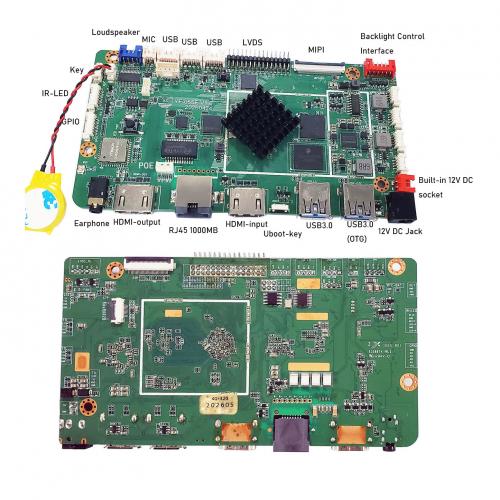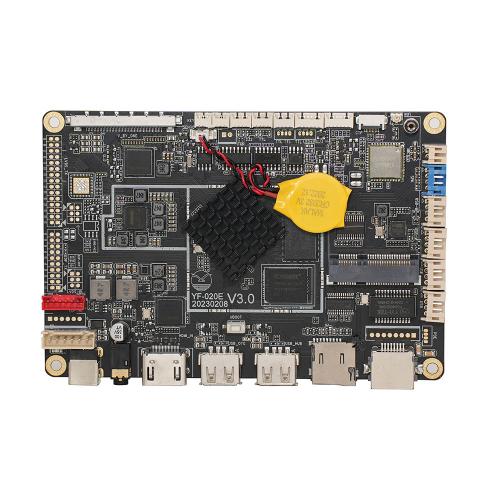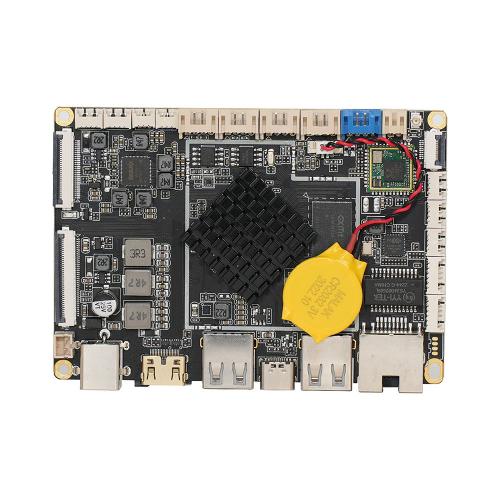




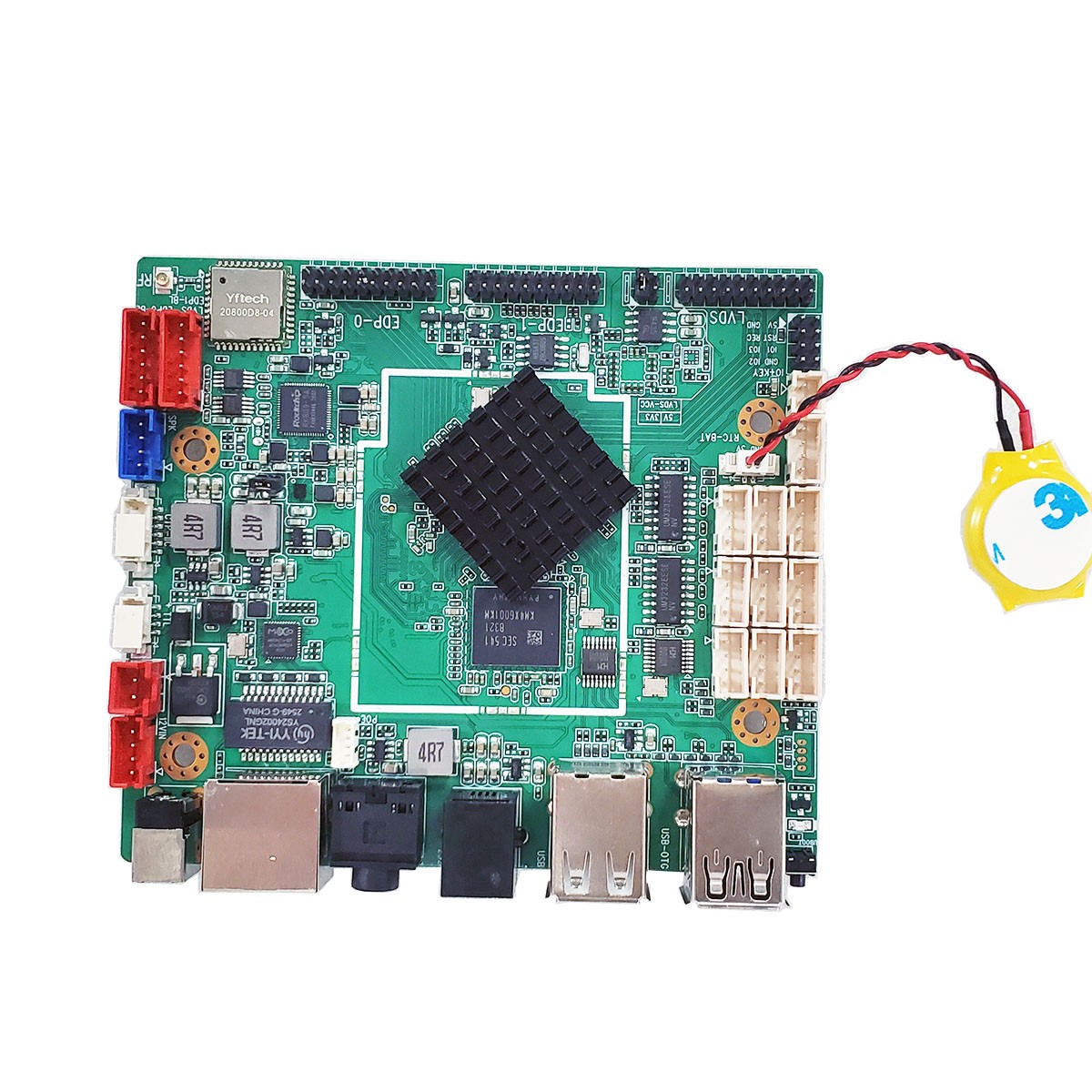
Rockchip RK3568 Solutions

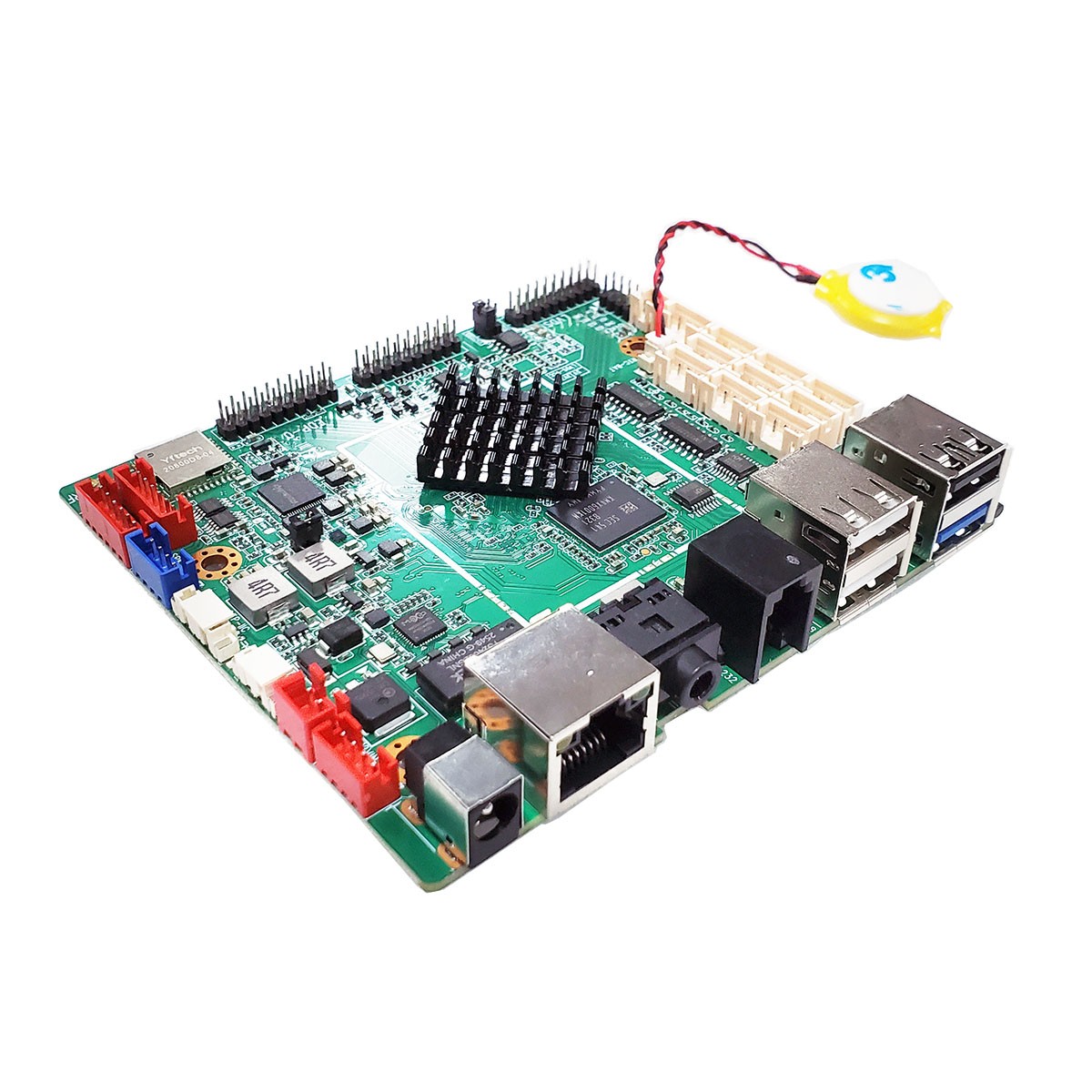
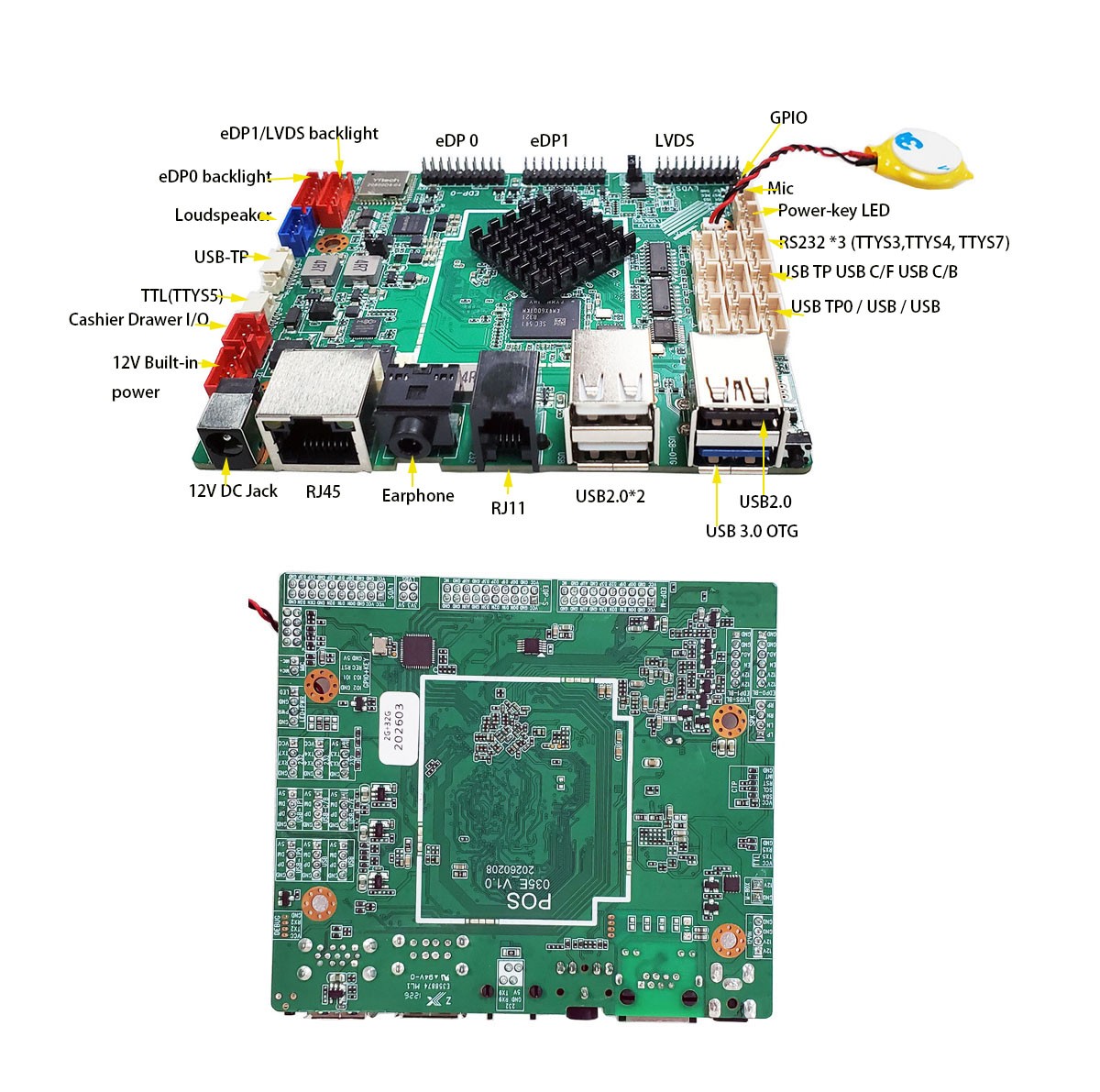
  • POS-035E Android motherboard for POS machine
  • POS-035E Android motherboard for POS machine
  • POS-035E Android motherboard for POS machine
  • POS-035E Android motherboard for POS machine
  • POS-035E Android motherboard for POS machine
  • POS-035E Android motherboard for POS machine
POS-035E Android motherboard for POS machinePOS-035E Android motherboard for POS machinePOS-035E Android motherboard for POS machinePOS-035E Android motherboard for POS machinePOS-035E Android motherboard for POS machinePOS-035E Android motherboard for POS machine

POS-035E Android motherboard for POS machine


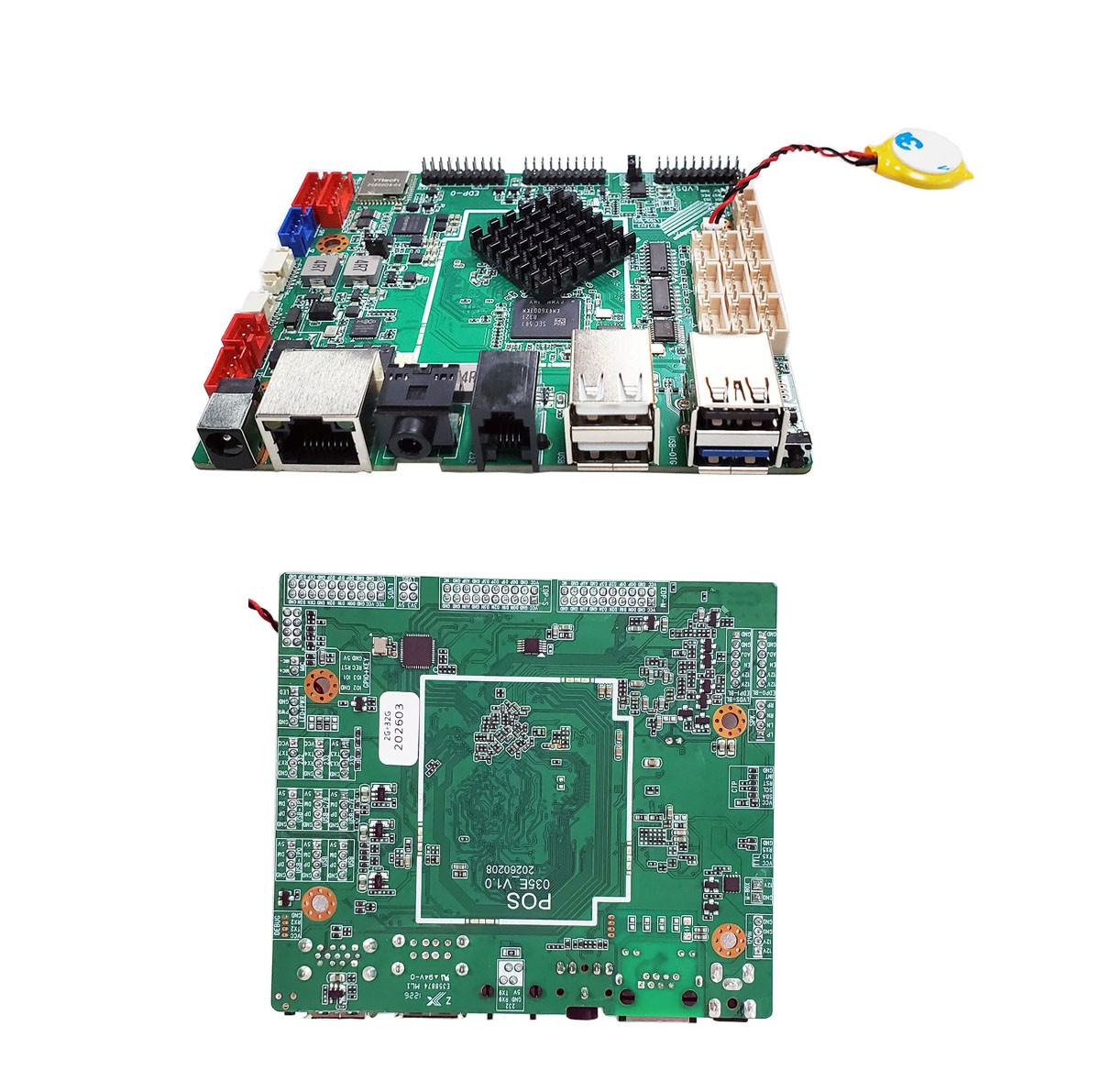
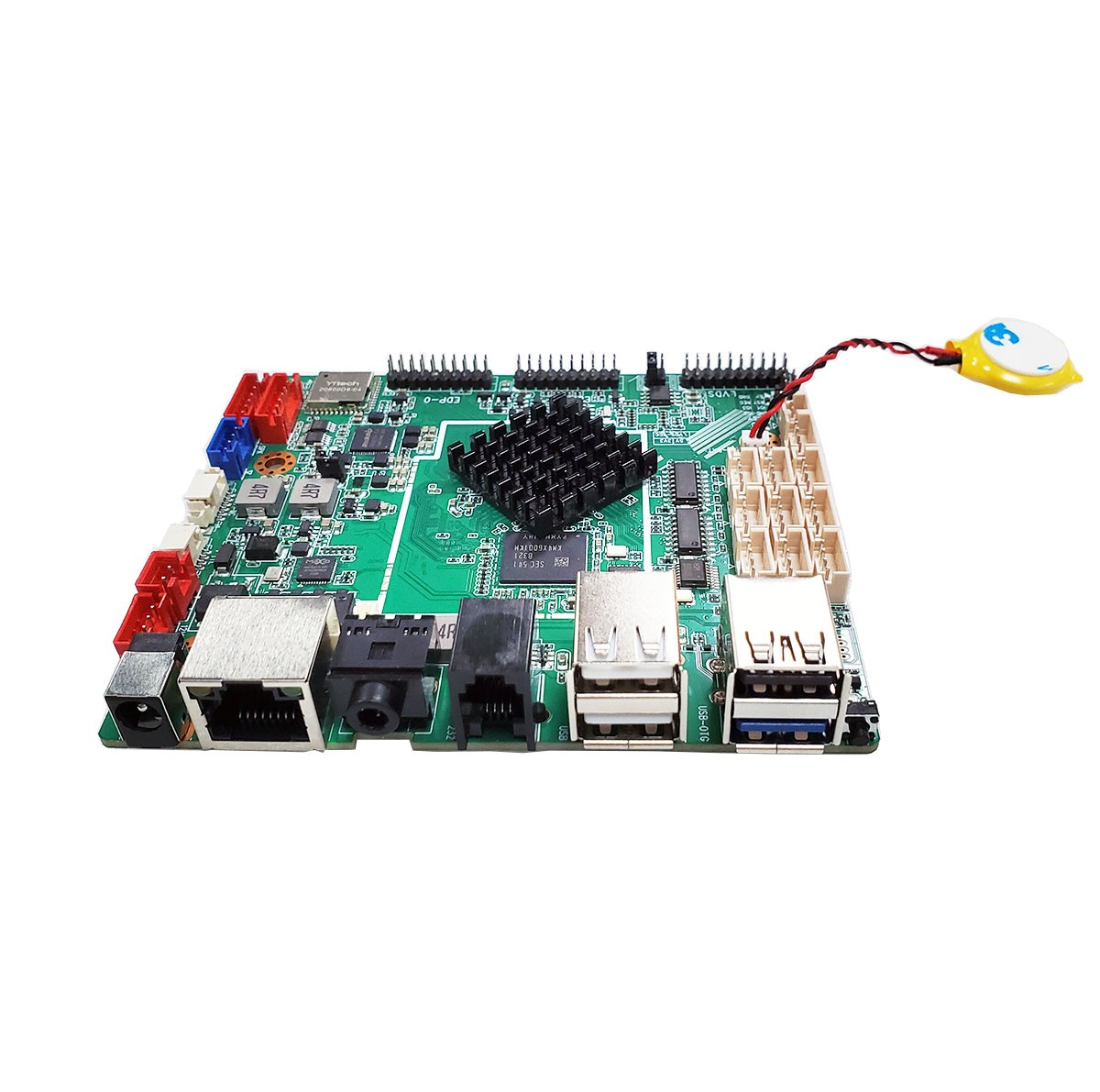
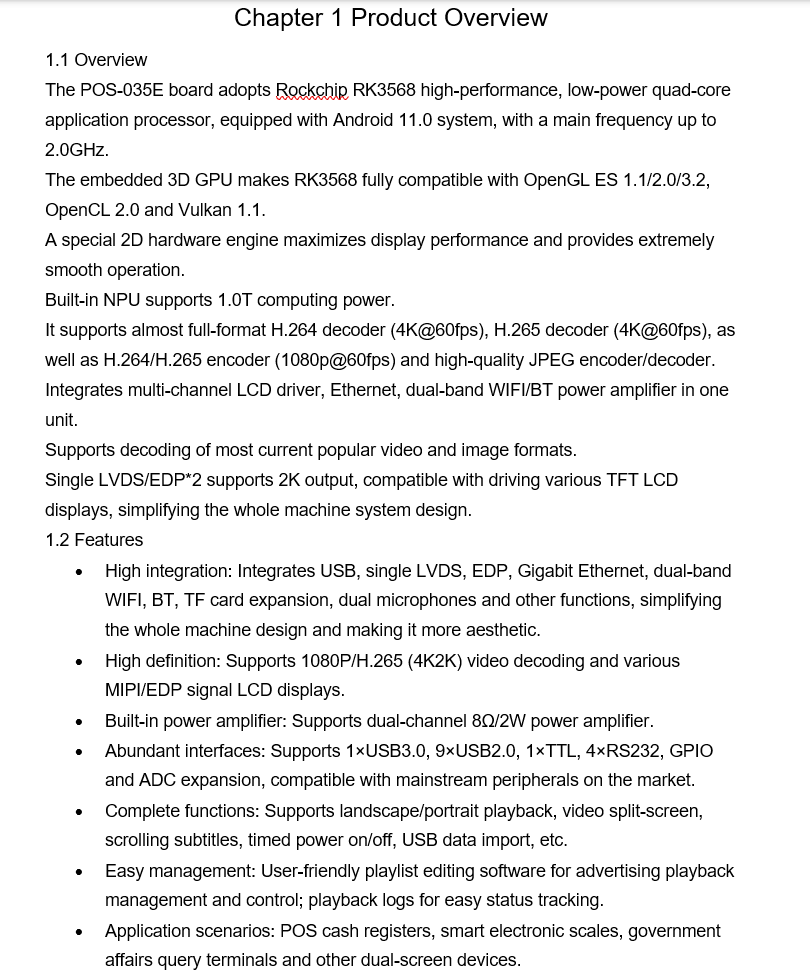
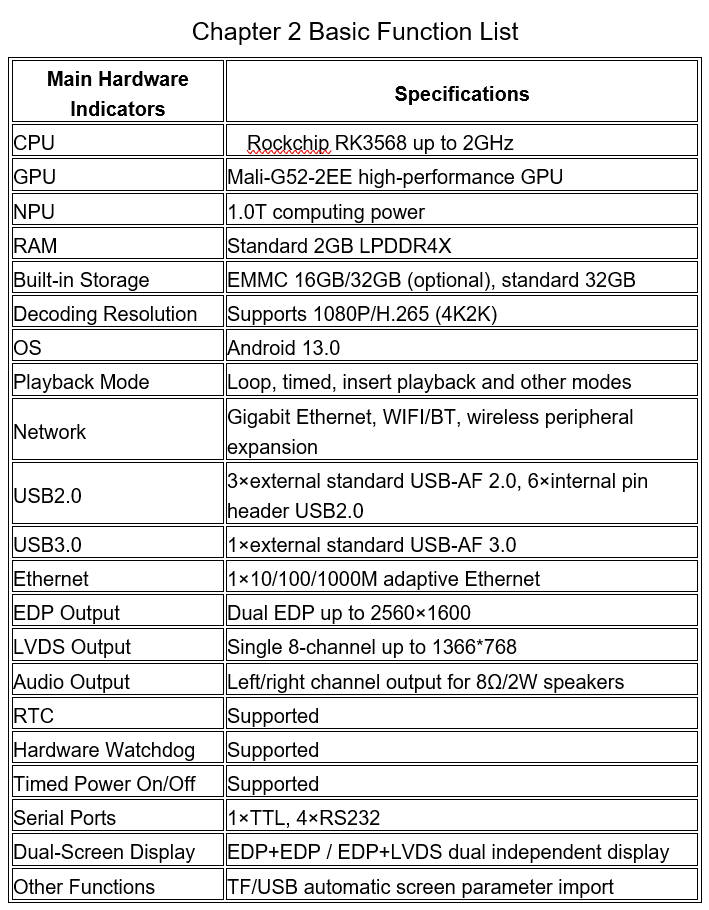
    The POS-035E board adopts Rockchip RK3568 high-performance, low-power quad-core application processor, equipped with Android 11.0 system, with a main frequency up to 2.0GHz.
    The embedded 3D GPU makes RK3568 fully compatible with OpenGL ES 1.1/2.0/3.2, OpenCL 2.0 and Vulkan 1.1.
    A special 2D hardware engine maximizes display performance and provides extremely smooth operation.
    Built-in NPU supports 1.0T computing power.
    It supports almost full-format H.264 decoder (4K@60fps), H.265 decoder (4K@60fps), as well as H.264/H.265 encoder (1080p@60fps) and high-quality JPEG encoder/decoder.
    Integrates multi-channel LCD driver, Ethernet, dual-band WIFI/BT power amplifier in one unit.
    Supports decoding of most current popular video and image formats.
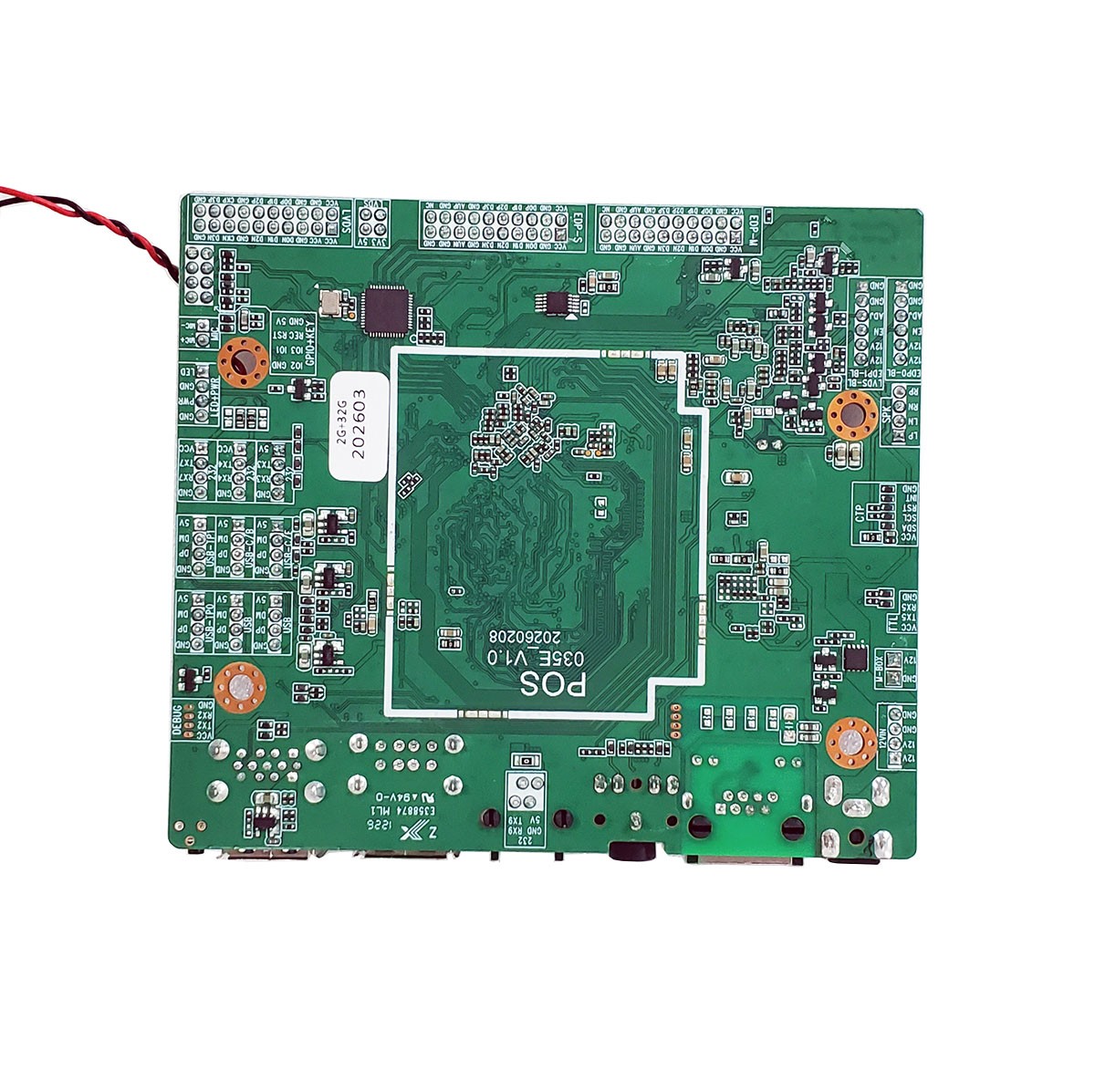
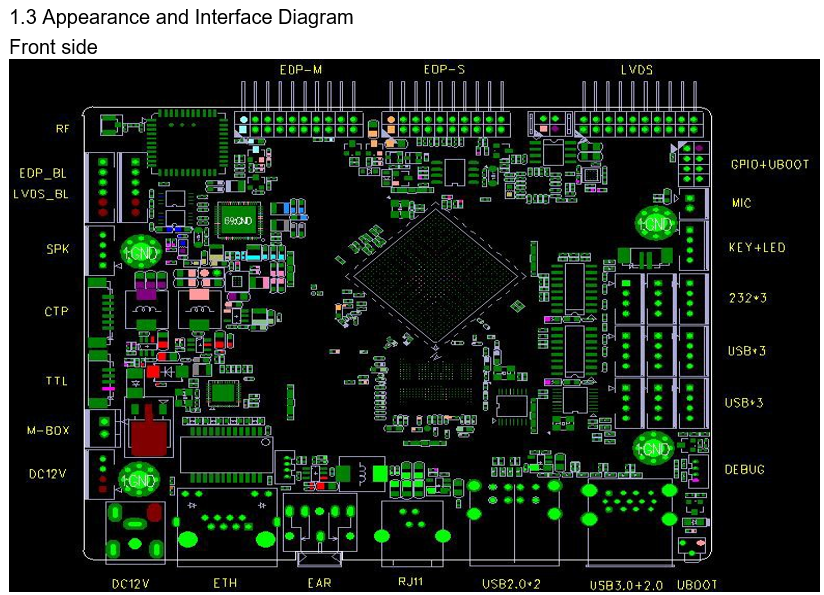
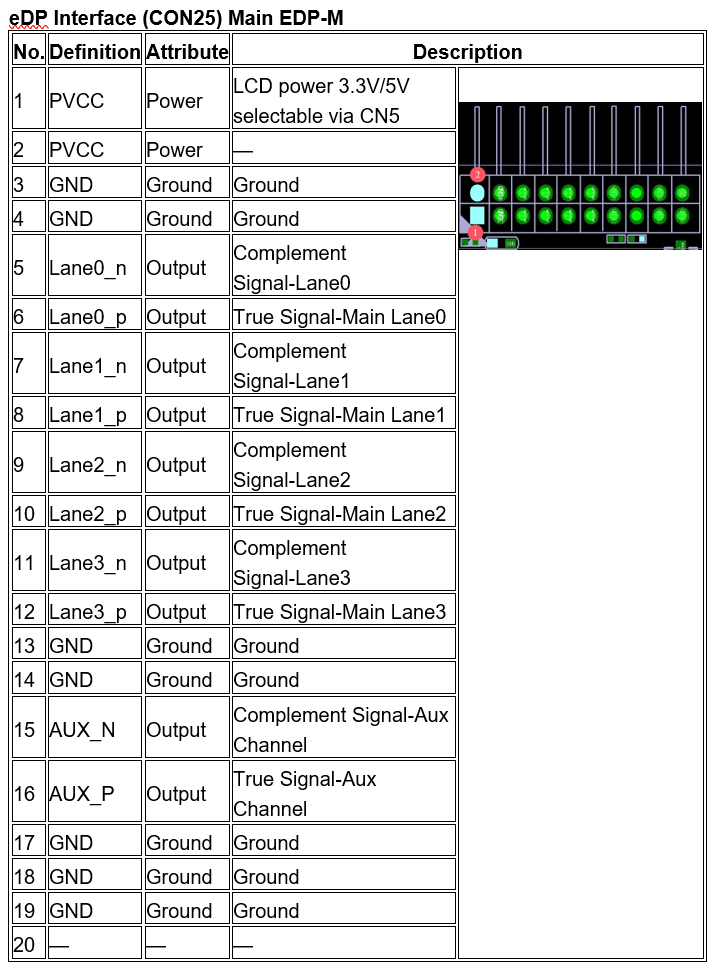
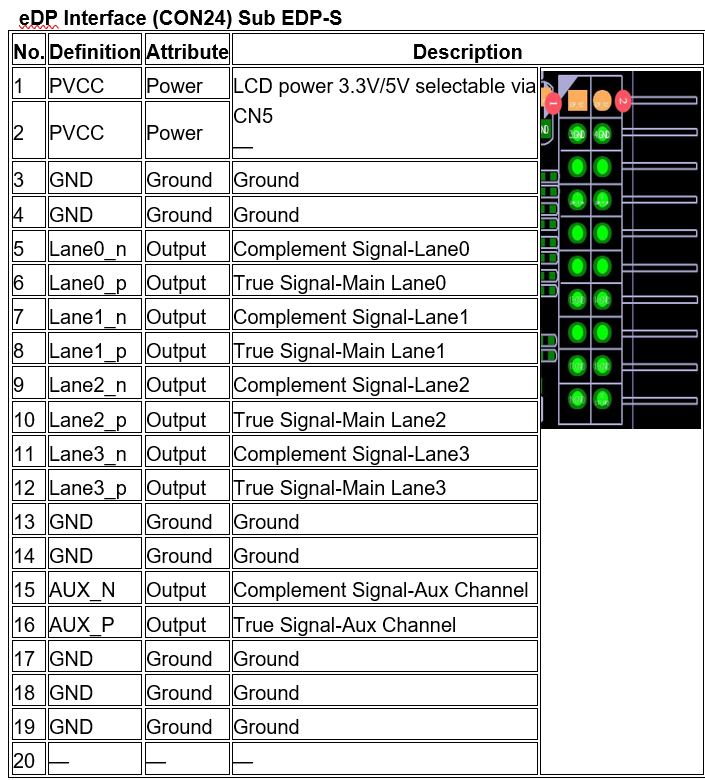
    Single LVDS/EDP*2 supports 2K output, compatible with driving various TFT LCD displays, simplifying the whole machine system design.

  • INQUIRY
Product Description:


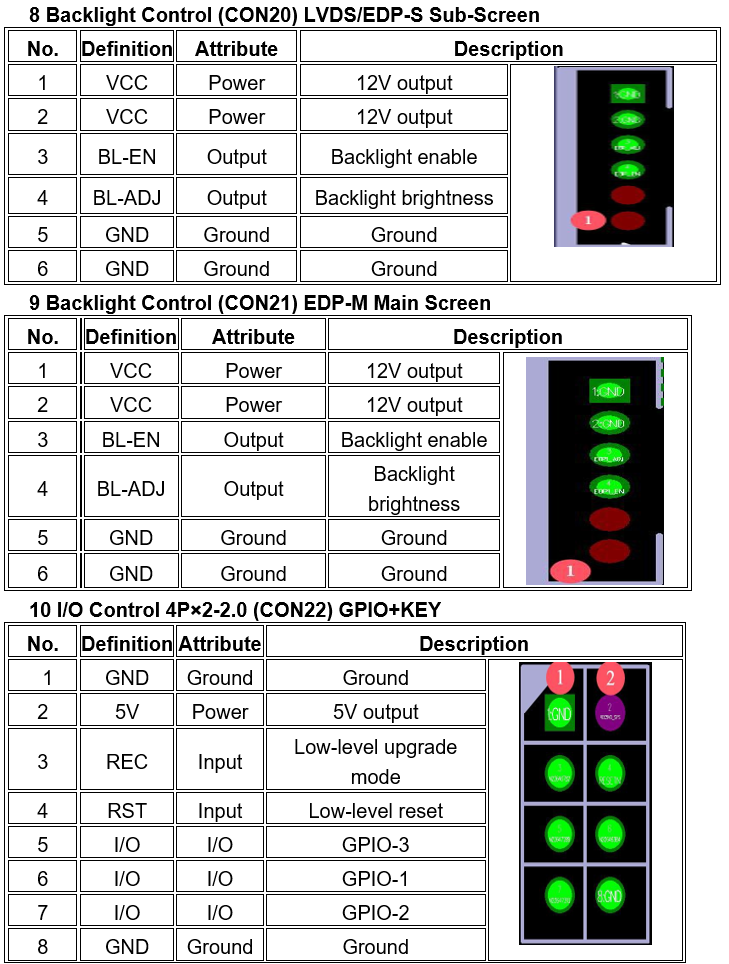
1.png

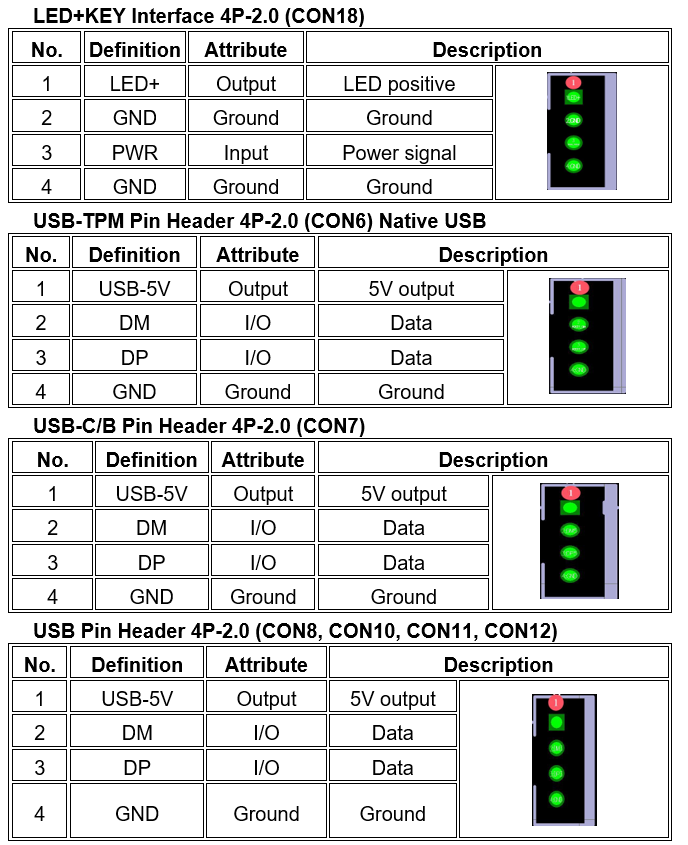
2.png

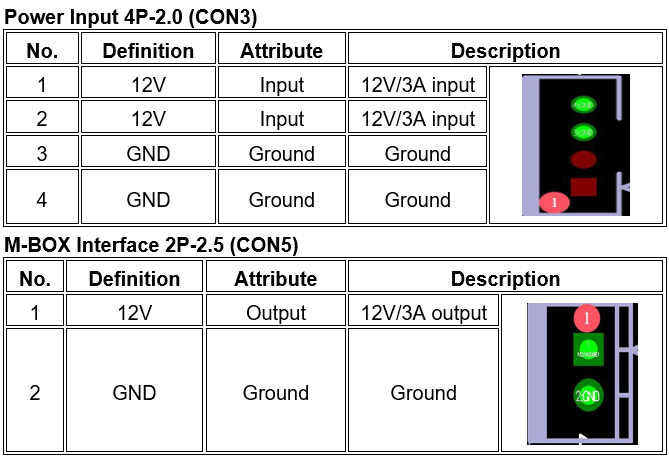
3.png


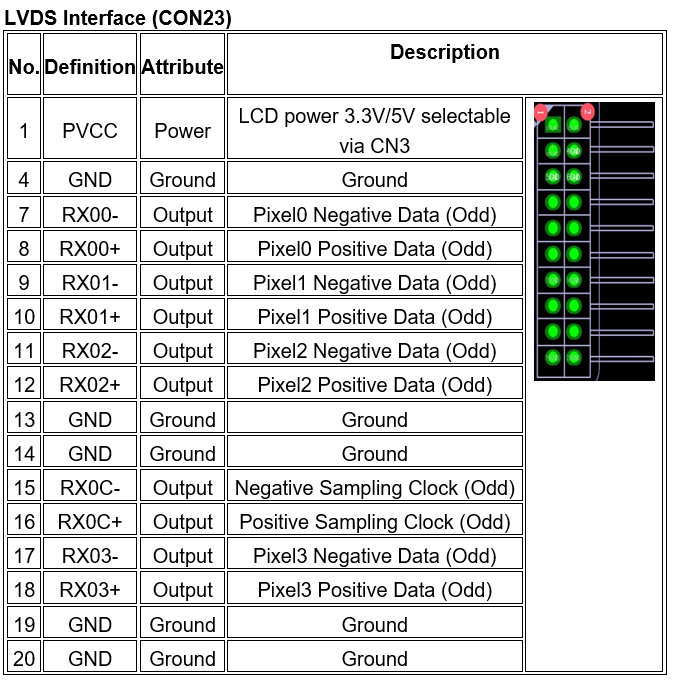
5.png


 Chapter 5 Assembly & Usage Precautions

Please note the following (not limited to) during assembly and use:

  1. Short circuit risk between bare board and peripherals.

  2. Avoid board deformation caused by improper mounting and fixing.

  3. When  installing EDP/LVDS screens, verify screen voltage and current ratings;  confirm Pin 1 orientation of connectors.

  4. Check  backlight voltage/current for EDP/LVDS screens. Use an external power  board if backlight power exceeds 20W.

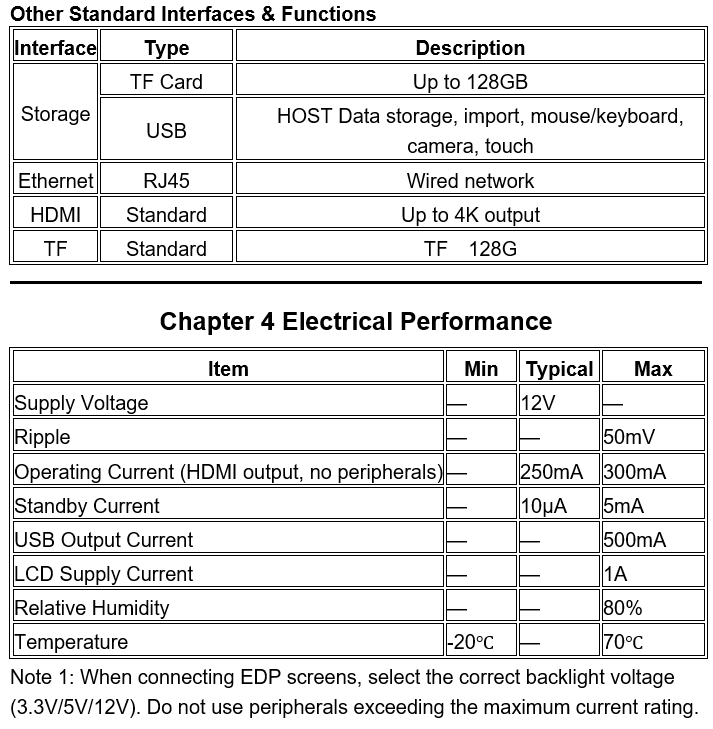
  5. Pay attention to IO level and output current when connecting USB/IO  peripherals.

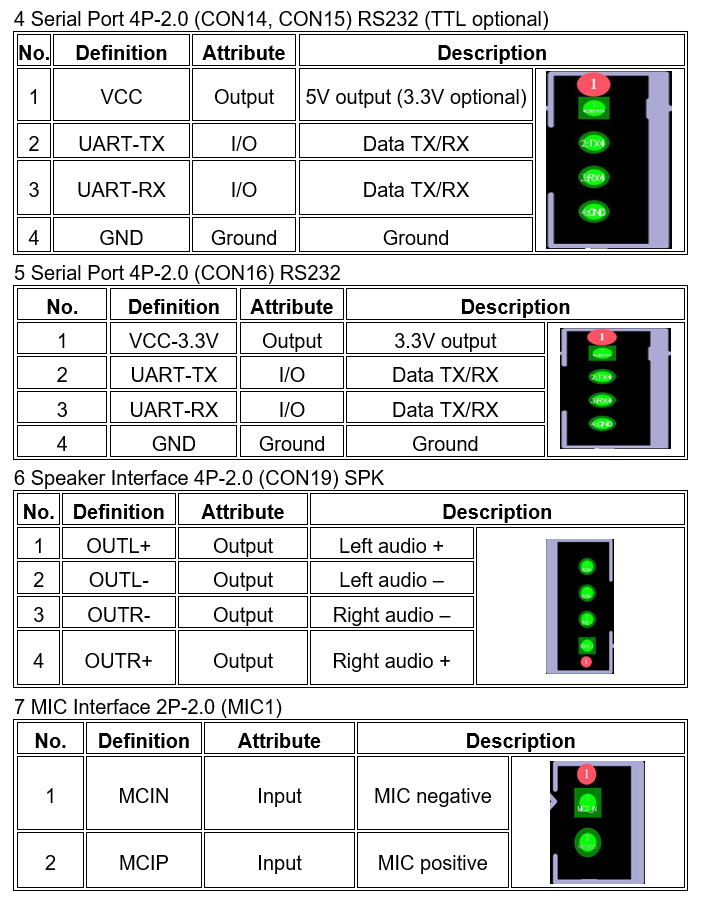
  6. For serial ports, confirm RS232/485 connection and correct TX/RX wiring.

  7. Ensure  power is connected to the dedicated power input interface. Verify input voltage/current meets total peripheral power demand. Do NOT supply power  through backlight connectors.


Inquiry:
All Tags Android Motherboard SolutionsAndroid MainboardAndroid Motherboard CatalogueNews about Android Motherboard
Top